Hiring a chef to cook in your home usually means scattered messages, unclear costs and hoping for the best. As lead designer, I built the app around one rule: answer the user’s next question before they ask it. Service and item prices are shown before booking, payments come in clear stages, and customers, chefs and admins all work from the same booking.
RoleLead UX/UI designerClientChef on DemandPlatformMobile appRolesCustomer, chef, adminTeamMe + 2 design interns, plus dev and testing teamsTimeline3 months
OnboardingBook a chefTrack a booking
The 3 problems I solved
Three roles, one kitchen, and a lot that can go wrong.
A booking is a journey, not a single transaction.
1
You’re letting a stranger into your home
The service happens in your kitchen. Customers needed to feel the chef was safe, professional and reliable before booking.
Trust · verification
Chef profiles with cuisines and reviews, clear communication, and completion confirmed by an OTP both sides share.
2
Booked. Then silence until dinner.
Is a chef assigned? When do the ingredients arrive? Can I still change plans? Hosts had no way to know.
5 tracker stages
A booking view that updates as the event nears: a live tracker, a countdown and the chef one tap away.
3
Three people, three versions of the truth
Customer, chef and admin all touch the same booking. Without one shared status, someone is always out of date.
3 roles · 1 status
A focused experience per role, on top of one shared booking lifecycle.
Discovery
Every point of uncertainty showed up as a question.
Mapping the booking journey from the customer’s side brought up the same six questions again and again. Each one became a feature requirement.
?✓
Q1Which chef is right for my event?
Discovery by cuisine, profile and reviews
?✓
Q2What ingredients will be required?
Ingredients shown per menu, before booking
?✓
Q3How much will everything cost?
Service and item prices before booking, and clear payment stages
?✓
Q4Can I modify my booking later?
A booking view that updates as the event nears
?✓
Q5When will ingredients arrive?
Pre-event tracking updates
?✓
Q6How do I know the service is done?
OTP-confirmed completion
01Discover & exploreBrowse chefs, cuisines and reviews.
02Plan & customiseSelect menu, date, guests and preferences.
03Ingredients & costReview ingredients and prices.
04Confirm bookingReview details, payment and confirm.
05Pre-event updatesTrack ingredients and chef updates.
06During & after serviceChef arrives, cooks, and completes service.
The six-stage customer journey.REAL ARTIFACT, REDRAWN
“The best dinner party is one the host gets to enjoy.”— The idea behind the whole booking flow
Systems thinking
One booking lifecycle, three views of it.
The key structural decision was a single booking state machine that all three roles read from and write to. Each role’s screens are a view of the same state, so nobody works from an outdated version.
7booking states
3roles
6journey stages
1shared status
State 1 of 7 Requested
CustomerSees
ChefSees
AdminOversees
Sees every state, and can step in
One booking status. Each role’s screen is a view of it, so nobody works from an outdated version.
A shared booking lifecycle, with the actions each role takes.ILLUSTRATIVE
Decisions
Reduce uncertainty at every step.
A guided, step-by-step booking
Progress always visible, one decision per screen, limits stated up front.
A booking you can follow
A live tracker from request to service, so hosts never wonder what happens next.
OTP-verified service
The host shares a code with the chef, which protects both and closes the booking cleanly.
Payments in clear stages, cash included
An advance to book, the rest at the time of service. Chefs can confirm cash in the app, so every booking closes properly.
Chefs you can trust before booking
Profiles with cuisines, ratings, years of experience and specialities, so hosts know who is coming into their home.
A warm, trustworthy look
Green for freshness and trust, orange for key actions, cream to welcome.
01
View assignments
See all your upcoming and previous bookings in one place.
02
View customer details
Access customer information, event details, address, and special requests.
03
Start service
Let the customer know you’ve arrived and started preparing their meal.
04
Complete service using OTP
Generate OTP and share with customer to confirm service completion.
05
Confirm cash payment
Confirm receipt of cash payment from the customer to close the booking.
The chef’s side of the booking.REAL ARTIFACT, REDRAWN
Validation
Validated by walking the tasks.
I checked the design with a heuristic review and task-based walkthroughs of the main journeys.
Step 1What I tested
Booking a chef
Reviewing ingredients
Completing payment
Tracking booking progress
Completing the service with an OTP
Step 2What I looked for
Navigation confusion
Missing information
Decision bottlenecks
Redundant steps
Step 3What changed
Simpler booking progression
Clearer payment stages
Stronger booking-status visibility
Inside the product
Screens from the product.
Scroll through the app’s key screens. Click any screen to see it in full.
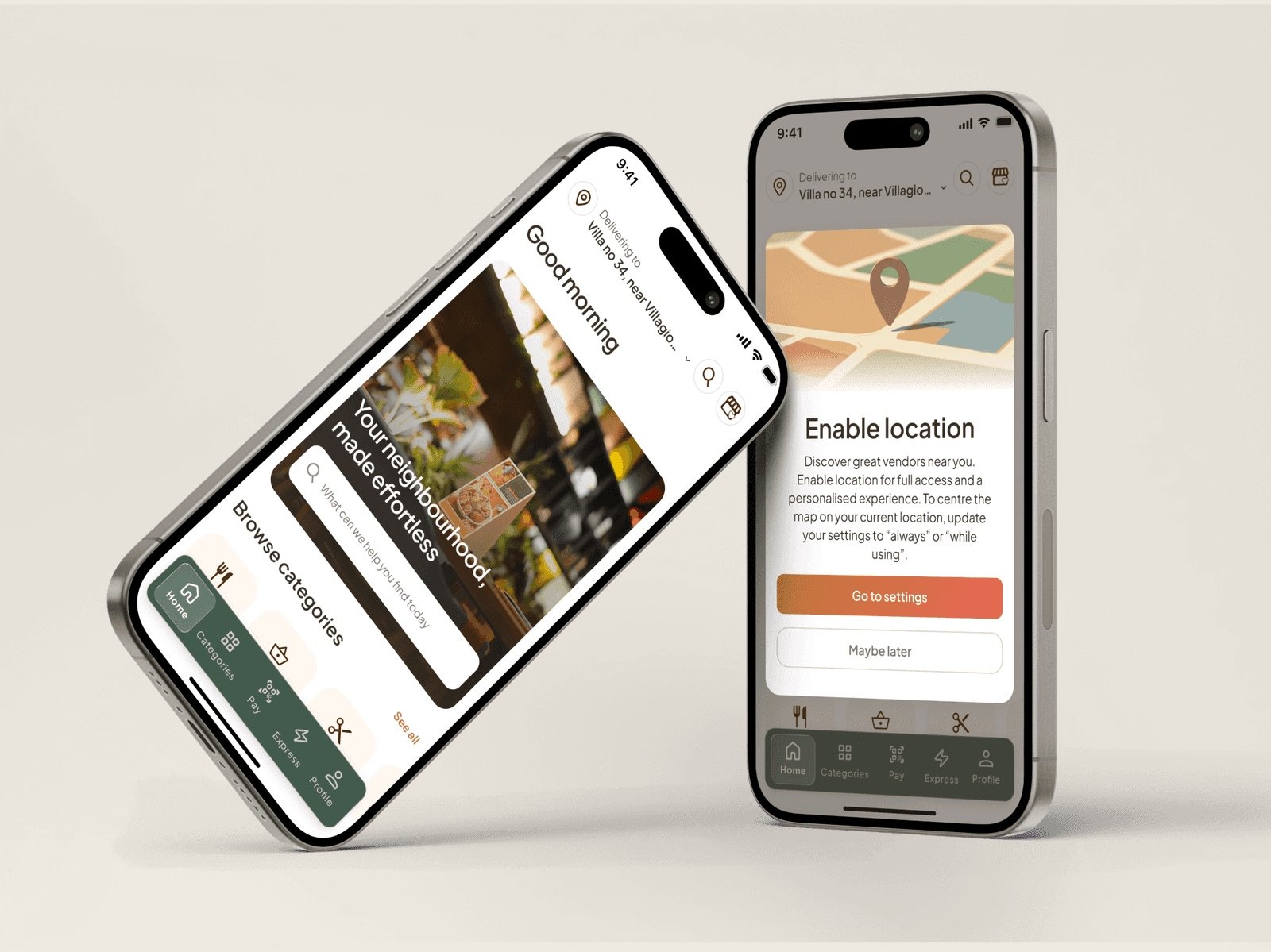
OnboardingWelcomeExpert chefs, right in your kitchen.OnboardingCreate accountName, email and phone to get started.OnboardingVerify phoneA six-digit code confirms the number.HomeHome, first visitHow it works, cuisines and featured chefs.HomeHome, upcoming eventA countdown and the OTP to share with the chef.HomeHome, in progressA service tracker from prep to serving.HomeHome, after serviceSettle the final amount and rate the meal.BookingChef’s profileRatings, experience and the chef’s culinary philosophy.BookingStep 1 · Event detailsGuests, date and a time slot.BookingStep 2 · CuisinePick the cuisine for the event.BookingStep 3 · MenuChoose dishes, with limits stated up front.BookingStep 4 · ReviewCheck every detail before paying the advance.BookingBooking confirmedDate, booking ID and reward points earned.After bookingMy bookingsUpcoming and past bookings with live status.After bookingBooking detailsThe OTP and a tracker from request to service.After bookingRate your experienceRate the chef and the food after the event.AccountProfileAccount details, bookings, addresses and support.AccountRefer friendsGift a chef experience and earn credit.
Scroll or swipe sideways · click a screen to enlarge
Outcome & impact
A booking you can see all the way through.
Delivered
1workflow, request to completion
3role-specific experiences
OTP-verified service completion
Design system ready for dark mode
Designed to improve
Fewer back-and-forth messages
Fewer questions about payments
Fewer “where’s my chef?” contacts
More first-time hosts completing a booking
Success metrics
Funnel completion, step by step
Support tickets per booking
Drop-off at the payment step
Repeat bookings within 6 months
Learnings
Designing beyond individual screens
This project reinforced the importance of designing beyond individual screens.
Orchestrating multiple user roles
The most significant challenge was orchestrating multiple user roles while keeping each experience focused and intuitive.
Booking as an evolving journey
Rather than treating booking as a single transaction, the design considers it an evolving journey that spans planning, coordination, service delivery, and completion.
Transparency, trust and ease of use
The result is a product that prioritizes transparency, trust, and ease of use, creating a digital experience that feels as welcoming as the home-cooked meals it helps bring to life.